
Backup & Continuity
Microsoft 365 backup evaluation guide for small MSPs
A vendor-neutral guide for small MSPs evaluating Microsoft 365 backup: workload coverage, retention, restore tests, security, multi-tenant operations, pricing, and exit planning.
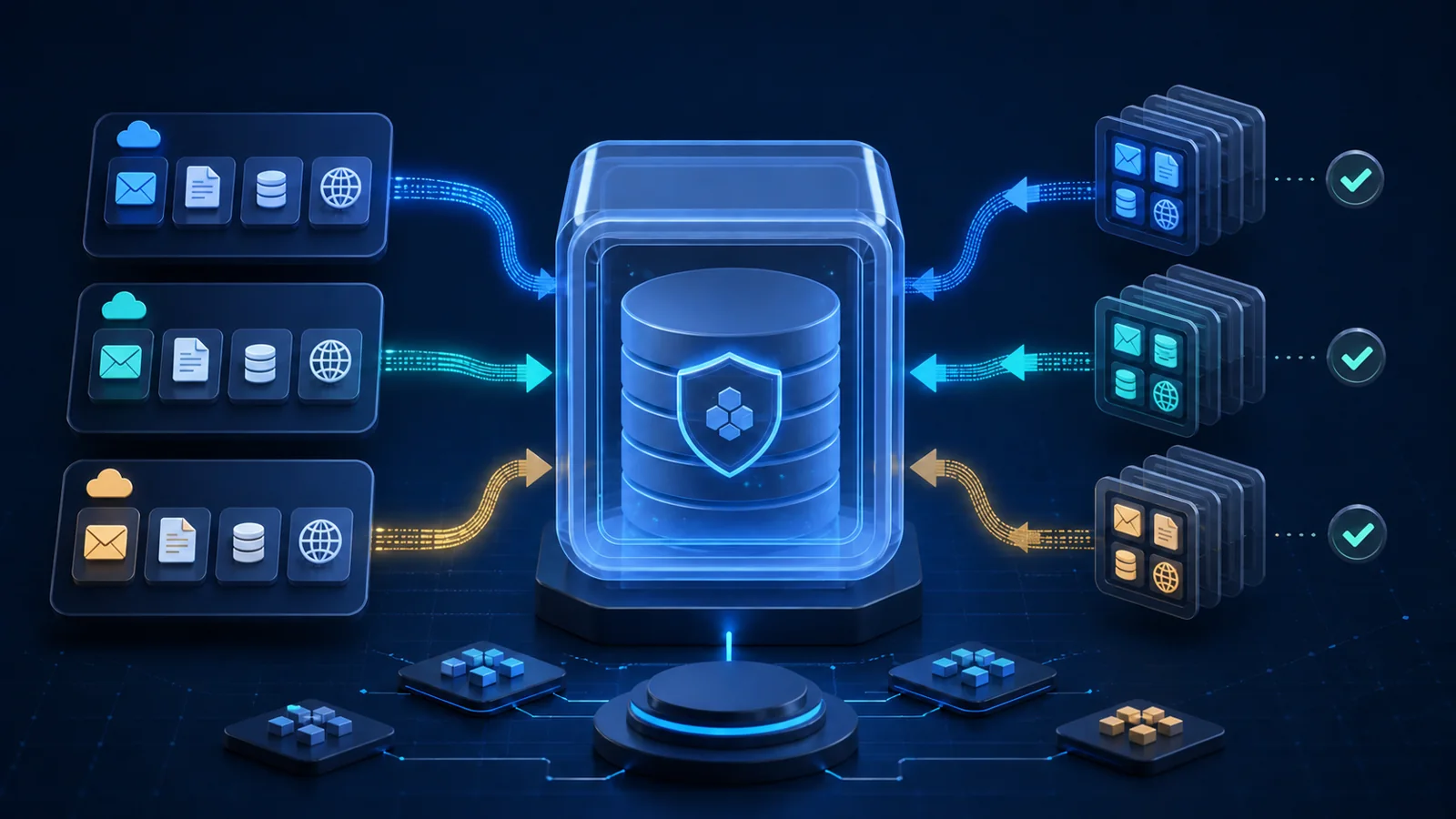
Short answer: Choose a Microsoft 365 backup service by the recovery outcomes your MSP can prove. Define the workloads, identities, retention, restore destinations, administrative isolation, multi-tenant workflow, total cost, and exit path first. Then run the same restore tests against each finalist. A low per-user price, polished console, or long feature list is not enough if the service cannot recover the client's important data under the failure conditions you sell.
The product comparison is not the real decision
A small MSP usually reaches this decision through a practical question: should it stay with an inexpensive service that appears to work, or move to the platform other operators recommend?
A recent r/SmallMSP discussion comparing iDrive and Afi.ai for Microsoft 365 tenant backups surfaced the real evaluation criteria: data region, storage allowance, contract minimums, interface quality, multi-tenant operations, restore experience, and what happens as the client base grows. The most important detail was simpler: the current backups looked healthy, but a recovery had not yet been performed.
That is the boundary for this guide. It is not a ranking of backup vendors. It is a repeatable way to decide whether any Microsoft 365 backup service is fit for the recovery promise, operating capacity, and margins of a small MSP.
Use the broader tool stack selection framework when comparing the place of backup in the full stack. Use the backup restore testing checklist after selection to run recurring recovery evidence. This guide covers the decision between those two points.
Define the recovery promise before the product
Do not begin with “Which backup is best?” Begin with the incident the client expects you to resolve.
For each client, write the recovery scenarios that matter:
- A user deletes one email, folder, or document.
- A departing employee's account is removed before the business identifies needed data.
- A malicious or compromised administrator deletes or overwrites content.
- Ransomware encrypts or corrupts synchronized files.
- A SharePoint site, OneDrive account, or mailbox needs point-in-time recovery.
- The original user, administrator, subscription, or tenant is unavailable.
- The client needs data exported for legal, business continuity, migration, or offboarding purposes.
- The business needs service restored within a specific time and to a specific recovery point.
For every scenario, define the protected object, acceptable data loss, acceptable downtime, restore destination, approval authority, and validation owner. If the service can restore only into the original live object, say whether that still works when the original identity or tenant is part of the incident.
This turns a vague backup purchase into an acceptance test.
Build a workload and exclusion map
“Microsoft 365 backup” is not a precise scope. The tenant can contain several workloads with different storage, identity, retention, and restore behavior.
Create a coverage map for:
- Exchange Online mailboxes, archives, shared mailboxes, calendars, contacts, tasks, and public folders where applicable.
- OneDrive accounts, versions, sharing relationships, permissions, and data owned by inactive users.
- SharePoint sites, libraries, lists, pages, versions, metadata, permissions, and deleted sites.
- Teams messages, channel content, private or shared channels, meeting artifacts, and the files stored through SharePoint or OneDrive.
- Microsoft 365 Groups and the services connected to them.
- Entra ID users, groups, roles, app registrations, Conditional Access policies, and other tenant configuration.
- Planner, Forms, Power Platform, Loop, Project, or other business data the client assumes is included.
Do not assume one service protects all of these. Mark each item as fully protected, partially protected, recoverable through another Microsoft control, excluded, or not yet verified.
Microsoft's Microsoft 365 Backup overview documents specific supported workloads and restore behavior for its own service. Treat every provider the same way: compare its current documentation with a live test, because the product name alone does not define coverage.
New users and sites also need an enrollment rule. Verify whether protection is automatic, policy-based, license-based, or manual. A solution that works for today's ten users can silently miss the eleventh if onboarding is not connected to backup coverage.
Separate retention, availability, and backup
Microsoft 365 includes recycle bins, version history, recoverable items, retention policies, retention labels, holds, and service resiliency. Those controls are valuable, but they do not all solve the same recovery scenario.
Microsoft explains that Purview retention policies and labels manage how content is retained or deleted for data-lifecycle and records purposes. Content is generally retained in place inside the Microsoft 365 environment. A backup service has a different operating question: which recoverable copy exists, who can reach it, which restore point can be selected, where it can be restored, and whether it survives the incident being planned for.
Do not sell the slogan “Microsoft does not back up your data” as a substitute for discovery. Instead, build a scenario matrix and record the native control, required backup capability, and tested result for each case:
- Accidental item deletion: map the recycle, version, or recoverable-item path; then test granular search and restore after the native window or outside the original object.
- Malicious overwrite: document whether versioning or retention helps; then prove a known clean point, protected administration, and usable rollback.
- Deleted employee: record the native lifecycle and retention policy; then test continued protection, search, restore, and billing after license removal.
- Tenant or identity compromise: identify which native recovery paths depend on the affected control plane; then prove separate recovery authority and the promised alternate destination or export path.
- Compliance retention: assign ownership to Purview retention and records controls where appropriate; use backup only when the recovery requirement is separate and record the evidence.
The answer may combine native controls and backup. The goal is not to buy the most tools. It is to know which control owns each failure and prove that the combined path works.
Score restore behavior before interface quality
A clean console saves technician time, but the restore path carries the service promise.
Score each finalist on:
- Search speed and accuracy across tenants, users, dates, and item types.
- Available restore points and how their granularity changes over time.
- Item, folder, mailbox, OneDrive, SharePoint, and bulk recovery options.
- Restore to original location, alternate location, alternate user, or alternate tenant.
- Export formats and whether large exports remain practical.
- Preservation of versions, permissions, metadata, sharing, labels, and folder structure.
- Treatment of inactive, unlicensed, deleted, or shared users and resources.
- Throttling, restore limits, expected speed, and vendor escalation for large incidents.
- What happens when the original tenant, domain, identity, or subscription is unavailable.
- Evidence produced: job record, operator, timestamps, objects, result, errors, and audit trail.
The official Microsoft 365 Backup restore documentation illustrates why details matter: restore-point frequency, supported destinations, retained history, and testing conditions can be specific to the workload and service. Do not copy those assumptions to another product. Make every vendor prove its own behavior.
Evaluate the MSP control plane
The service must protect clients without turning one MSP account into an uncontrolled path across every tenant.
Verify:
- Named technician accounts, enforced MFA, and role-based access.
- Separation between billing, policy, restore, deletion, and global administration roles.
- Audit logs for sign-in, policy changes, restores, exports, tenant onboarding, and destructive actions.
- Alerting for failed protection, stale authorization, missed objects, capacity thresholds, and policy changes.
- Client separation in search, reporting, exports, and delegated access.
- Emergency-access and account-recovery procedures that do not depend on one MSP owner.
- Vendor support identity verification before privileged assistance.
- Encryption in transit and at rest, key-management model, data residency, subprocessors, and breach notification.
- Protection against deleting backup data through the same compromised identity used to administer production.
Microsoft documents privacy, security, retention, and data residency separately for its backup service. Require equivalent clarity from any provider. “Hosted in the cloud” is not enough detail for a client risk decision.
CISA recommends maintaining protected backups and testing their availability and integrity in a recovery scenario. For SaaS data, translate that principle into explicit administrative isolation, deletion resistance, recovery authority, and restore evidence rather than assuming that a second web console creates independence.
Test the weekly operating load
A small MSP can lose margin through invisible backup administration even when license cost is low.
During the pilot, measure:
- Time to create and authorize a tenant.
- Time to confirm every expected user, site, mailbox, and shared resource is protected.
- How new and deleted objects enter or leave policy.
- Whether failed jobs create owned tickets or another inbox to check.
- Time to investigate a warning and distinguish noise from real coverage loss.
- Time to produce a useful client report.
- Time and technician skill required for common restores.
- Vendor support response and the quality of escalation evidence.
- Steps required when a client changes MSPs or leaves the service.
Test with least-privileged technician roles, not only the global account used during setup. A product is not operationally ready when the owner can restore data but the service desk cannot follow a controlled runbook.
Calculate total cost per tenant
Do not compare only the advertised per-user amount.
Build the monthly internal cost from:
```text
Tenant or contract minimum
+ protected user and resource licenses
+ storage, consumption, overage, or retention charges
+ distributor or platform fees
+ alert review and administration labor
+ restore testing and reporting labor
+ expected vendor-support and exception time
+ offboarding and data-retention exposure
= total monthly delivery cost
```
Then test the billing edge cases:
- Shared mailboxes, archives, rooms, and service accounts.
- Unlicensed and deleted users.
- Large SharePoint sites and users far above the average storage allowance.
- Storage pooled across users, clients, or the whole MSP.
- Minimum seats, minimum spend, annual terms, and price tiers.
- Charges during legal hold, extended retention, or post-offboarding access.
- Export, egress, restore, API, or support fees.
Use a client minimum when the fixed operating work is material. Ten users do not create only ten units of cost; the tenant still needs implementation, policy review, alerts, restore evidence, reporting, and an exit plan. Connect the result to the managed services pricing guide instead of burying backup labor inside an unsupported bundle.
Run the same 30-day pilot against every finalist
Use one internal tenant or a low-risk client with approval. Seed known test data and document it before protection begins.
The pilot should include:
- Inventory expected mailboxes, OneDrive accounts, SharePoint sites, groups, and exclusions.
- Configure production-like roles, MFA, alerts, retention, and technician access.
- Confirm initial protection and measure how long coverage becomes usable.
- Delete and restore a mailbox item with a unique subject and attachment.
- Modify and restore a OneDrive file, including a prior version.
- Delete and restore a SharePoint object while checking metadata and permissions that matter.
- Remove or unlicense a test user, then verify continued protection, search, restore, and billing behavior.
- Test an alternate destination or export path if it is part of the service promise.
- Run the largest practical restore shape you intend to include and measure elapsed time.
- Trigger a failed authorization or missed-protection condition and confirm that it becomes owned work.
- Open a support case with the evidence a technician would have during an incident.
- Export configuration, inventory, logs, and client data required for offboarding.
Record each result as passed, passed with exception, failed, or not supported. A sales demonstration is not a pilot result.
Define the exit before standardizing
Ask what happens when the MSP changes providers, the client changes MSPs, the vendor is acquired, prices change, or the account is terminated.
Document:
- How long backups remain available after cancellation or license removal.
- Whether the client can retain, transfer, or export historical data.
- Export format, metadata fidelity, encryption, size limits, and practical download speed.
- Whether another provider can ingest the export.
- Time and cost to move large tenants.
- Who owns the backup account, policies, keys, reports, and recovery authority.
- Which records the MSP retains after service termination and for how long.
- How protected data is destroyed and evidenced at the end of retention.
A service that requires indefinite payment to preserve historical copies creates a commercial dependency. That may still be acceptable, but it must be visible before the backup becomes part of every client agreement.
Tie the handoff to the offboarding and access recovery checklist. Client data should not become hostage to an MSP-owned console no one else can recover.
Common mistakes
The most common mistake is choosing from recommendations before writing recovery scenarios.
Other failures include:
- Comparing list price without storage, inactive users, minimums, and technician labor.
- Assuming “all Microsoft 365” includes Teams, Entra ID, Power Platform, metadata, and tenant configuration.
- Treating retention, version history, sync, and backup as interchangeable.
- Protecting current users while missing shared resources and newly created sites.
- Testing only an easy file restore and selling full-tenant recovery.
- Using one global MSP identity for billing, policy, restore, and deletion.
- Ignoring the scenario where the original tenant or administrator is unavailable.
- Accepting a data-region claim without confirming the backup, logs, support path, and subprocessors in scope.
- Standardizing a vendor without an export and cancellation test.
- Including recovery labor in a low-cost bundle that cannot fund the promise.
When to change level
Move to a stronger design when clients have large or fast-changing SharePoint environments, sensitive data, legal retention duties, short recovery targets, several Microsoft 365 workloads, high administrator risk, cross-tenant recovery needs, or cyber-insurance requirements the current service cannot evidence.
Move to a stronger MSP process when alerts are handled from memory, inactive users create billing surprises, restore tests depend on the owner, exports are impractical, new objects are regularly missed, or monthly backup work consumes more margin than pricing assumed.
The right service is not the one with the most community mentions. It is the one your team can secure, operate, restore from, explain to the client, and leave without losing control of the data.
FAQ
Does Microsoft 365 retention replace an independent backup?
Not automatically. Retention policies, recycle bins, version history, holds, and backup products have different purposes, scopes, administrative dependencies, and restore behavior. Map each client recovery scenario to the exact control that can satisfy it, then test that path before describing the tenant as protected.
Should a small MSP choose Microsoft 365 Backup or a third-party service?
There is no universal winner. Compare workload coverage, restore destinations, recovery speed, administrative isolation, data location, multi-tenant operations, billing, support, and exit options. Pilot the finalists with the same acceptance tests instead of deciding from feature pages alone.
How should an MSP calculate Microsoft 365 backup cost for a small client?
Include the tenant or contract minimum, protected users and shared resources, storage or consumption charges, inactive-user retention, implementation, alert handling, restore testing, reporting, support time, and offboarding. A low per-user price can still lose money when fixed operating work is ignored.
What should a Microsoft 365 backup pilot restore?
Test at least a mailbox item, OneDrive file or folder, SharePoint content, permissions or metadata that matter to the client, an inactive-user scenario, and the largest recovery shape you plan to sell. Also verify search, technician roles, audit logs, alerts, elapsed time, and what happens if the original account or tenant is unavailable.
Is a backup safe if it stays inside the Microsoft cloud?
Location alone does not answer the question. Document the failure domains, administrative isolation, deletion protections, encryption, recovery authority, and whether data can be recovered when primary identities or the tenant are compromised. If the contract promises an independent copy or cross-platform recovery, verify that the selected design actually provides it.
Related guides
Backup restore testing checklist for small MSPs
Turn a green backup dashboard into recovery evidence: restore the right data, validate it, measure the time, and record what happens next.
Tool stack selection framework for small MSPs
Choose tools by weekly operating load, alert quality, evidence, contract fit, and exit path, not by the loudest demo.

Security baseline for small MSPs
Define the controls, evidence, and client boundaries a small MSP can actually operate each month.

Pricing managed services without undercharging
Build a minimum viable price around responsibility, labor, tools, review work, risk buffer, discount boundaries, and the technician time your team must protect.
Client onboarding checklist for small MSPs
Turn a new client from unknown environment into documented, monitored, supported account with clear decisions and exceptions.
Offboarding and access recovery checklist for small MSPs
Close a managed client cleanly: access removal, delegated admin transfer, backup ownership, vendor portals, documentation export, open tickets, exceptions, and final evidence.