
Operations
Mac support baseline for small MSPs: standardize, co-manage, or refer
A vendor-neutral operating baseline for small MSPs supporting Macs: enrollment, MDM and RMM roles, FileVault, updates, remote access, recovery, scope, and pricing.
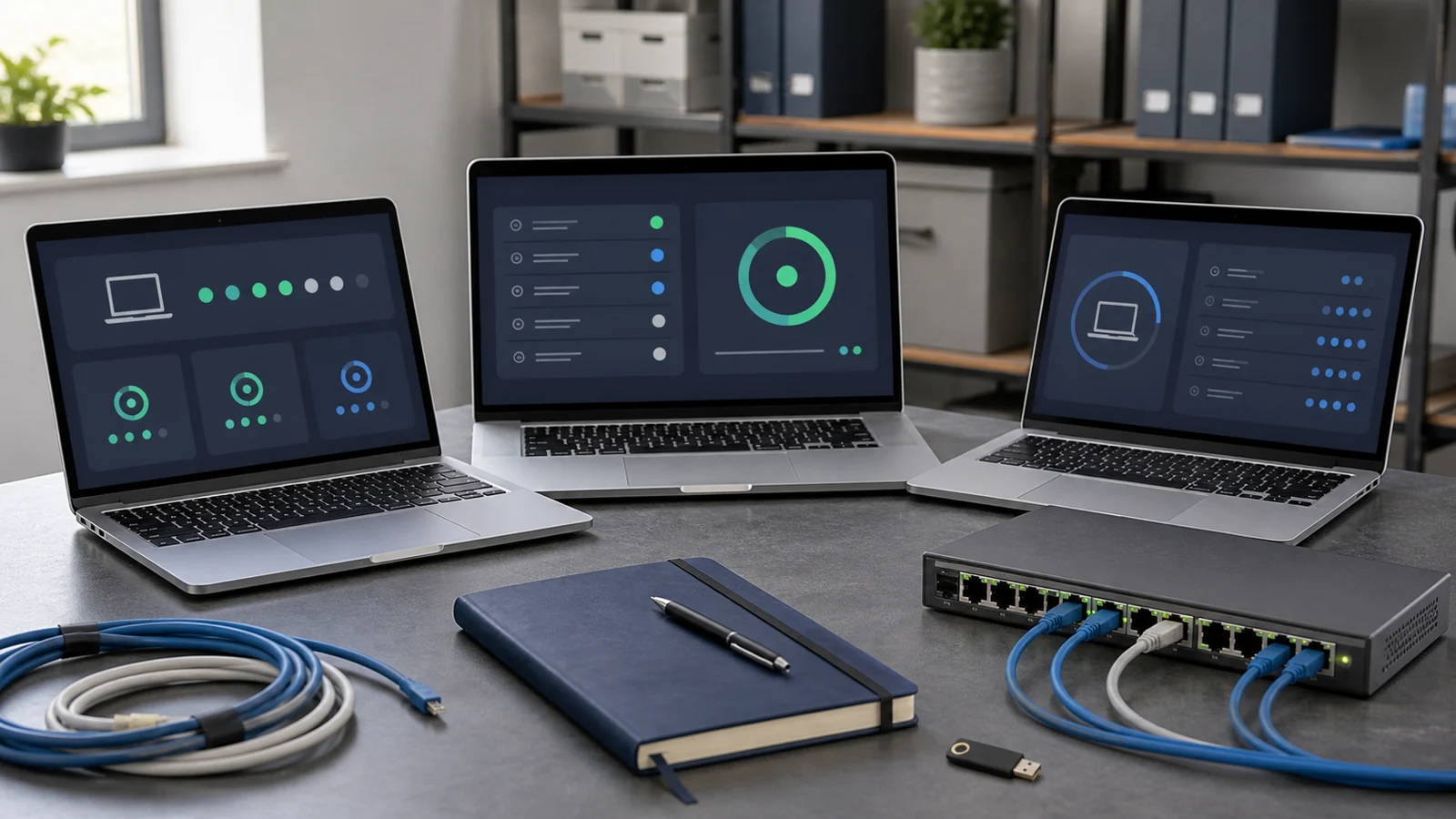
Short answer: Support Macs only when you can enroll, secure, update, access, recover, and offboard them through a repeatable client-owned process. MDM, RMM, remote access, endpoint security, identity, and backup solve different parts of the service. If your team cannot test the complete path, co-manage with an Apple specialist or refer the client instead of improvising after an incident.
A few Macs are still a service commitment
A small client may say it has “only three Macs.” That does not make the platform a minor exception. Those devices still need ownership records, secure enrollment, encryption recovery, application deployment, patch evidence, remote support, backup decisions, and an offboarding path.
The operational risk is not that macOS is impossible to support. It is that a Windows-oriented MSP assumes its existing RMM agent provides the whole control plane, then discovers during an urgent ticket that screen sharing was never approved, the recovery key was never escrowed, the device is tied to a former employee, or the major operating-system upgrade broke a critical application.
Recent r/SmallMSP discussions about supporting Mac clients and learning a Mac-only environment repeat the same practical lesson: Macs become manageable when the MSP treats Apple deployment as a real operating discipline, not as a special remote-support ticket.
Start with an accept, co-manage, or refer decision
Run discovery before adding the client to a normal managed agreement.
Confirm:
- Number, model, ownership, age, warranty status, and supported macOS version of every Mac.
- Whether devices are organization-owned, employee-owned, or mixed.
- Whether the client already has Apple Business Manager, a device management service, managed Apple Accounts, or reseller relationships.
- Business-critical applications, browser extensions, peripherals, printers, VPNs, certificates, and identity dependencies.
- Current local administrators, Apple Accounts, Activation Lock state, FileVault status, recovery-key custody, and backup method.
- Required response hours and whether remote access must work without a user present.
- Regulatory, insurance, contractual, data-residency, or evidence requirements.
- What your current RMM, endpoint security, backup, identity, and remote-support vendors actually support on the client's macOS versions.
Accept the client when the environment fits a documented baseline your team can test. Co-manage when an Apple specialist can own the platform-specific control plane while you retain service-desk, network, cloud, or vendor coordination. Refer when the client needs expertise, availability, or recovery capability you cannot yet deliver.
One unsupported line-of-business application or one irreplaceable local dataset matters more than the device count.
Keep the management tenant and device ownership with the client
For organization-owned devices, the durable target is a client-owned Apple Business Manager organization linked to a compatible device management service. Apple's deployment overview explains how Apple Business Manager, identity providers, enrollment, apps, and device management fit together.
The client should retain organization ownership and recovery authority. Give the MSP delegated access appropriate to its work; do not build several unrelated clients inside an identity or business-management account that only the MSP can recover.
Define:
- Legal organization, domain, verification, and primary client administrator.
- At least one documented client-controlled recovery route.
- MSP roles and named privileged identities rather than shared logins.
- Device assignment from approved reseller or purchasing channels.
- The device management service connected to the organization.
- Exit steps for transferring administration, records, and vendor relationships.
For company-owned Macs, Automated Device Enrollment is the preferred target because it can apply management during Setup Assistant and provide stronger organizational control. Apple distinguishes enrollment methods and their privacy/control tradeoffs. Personal devices need a separate BYOD decision; do not quietly apply company-owned controls to employee property.
Inherited devices may require manual enrollment, proof of purchase, erasure, or reassignment before they reach the target state. Record that as onboarding remediation, not as an invisible exception.
MDM, RMM, remote access, EDR, identity, and backup are different controls
Do not ask one agent to solve every responsibility.
- Device management (MDM): enrollment, supervision, configuration profiles, managed settings, certificates, app distribution, restrictions, inventory, commands, and lifecycle state.
- RMM: monitoring, scripts, software inventory, alerting, patch workflows, and technician automation where the product supports macOS.
- Remote support: attended or unattended screen and keyboard control, file transfer, session logging, and user interaction.
- Endpoint security: prevention, detection, telemetry, investigation, isolation, and response according to the product and service scope.
- Identity: organizational accounts, MFA, device trust, SSO, local-account strategy, and access lifecycle.
- Backup: recoverable copies of user and business data, with retention, isolation, ownership, and restore testing.
The same product may cover more than one layer, but test each layer independently. “Agent installed” is not evidence that enrollment is durable, the disk can be recovered, remote control works, detections are monitored, or data can be restored.
Use the tool stack selection framework to document the job, evidence, failure mode, billing minimum, and exit path for every component.
Build a minimum security and recovery baseline
Your baseline should state what must be true before a Mac becomes fully managed.
At minimum, define:
- Supported macOS versions and hardware lifecycle rules.
- Device enrollment and check-in evidence.
- Standard daily user versus controlled administrative access.
- Password, MFA, screen lock, and identity requirements.
- FileVault enabled and a current recovery key escrowed to an approved client-controlled system.
- Endpoint security installed, healthy, and reporting to a monitored console.
- Firewall, system extension, privacy, certificate, and application policies required by the stack.
- Backup responsibility and a tested restore path for business data that is not already protected elsewhere.
- Lost, stolen, employee-exit, and device-retirement procedures.
Apple's FileVault deployment documentation explains the role of login credentials and cryptographic recovery keys. The MSP's proof is not merely that FileVault displays as enabled. Verify that the current key is escrowed, access is restricted, retrieval is logged where possible, and a technician can follow the recovery procedure without depending on one person's memory.
For local administration, prefer standard daily accounts where practical and a separately controlled administrative path. Apple documents managed local account options during enrollment. Define password rotation, temporary elevation, secure-token implications, emergency access, and what happens when the assigned user leaves.
Treat remote access as an onboarding test
Remote support on a Mac can depend on privacy controls such as Accessibility, Screen Recording, Full Disk Access, system extensions, and notifications. Device management can configure many settings, but the result depends on the application, code-signing identity, enrollment method, macOS version, and controls Apple permits an administrator to approve.
Apple's Privacy Preferences Policy Control reference shows why this is a deployment task rather than a link you send during an outage.
During onboarding, test the exact supported path:
- Install the production remote-support client through the intended deployment method.
- Apply the approved privacy and system-extension profiles.
- Restart or log out if the workflow requires it.
- Start an attended session with a standard user.
- Test unattended access only if it is contracted and approved.
- Verify screen visibility, keyboard and mouse control, privilege prompts, reconnection, and session logging.
- Document any user approval that cannot be automated, with screenshots and a short script for the service desk.
- Repeat after a representative macOS update.
Do not promise unattended emergency access until this test passes on the client's actual enrollment and security baseline.
Patch with policy, rings, and evidence
“Automatic updates are on” is not a complete patch service. Define the supported macOS range, update deadlines, deferral rules, restart communication, minimum free space, power/network expectations, and escalation when a device stops checking in.
Use at least two operating rings when the client depends on important Mac applications:
- A test Mac that receives updates first and exercises VPN, printing, security agents, remote support, identity, backup, and line-of-business apps.
- The production group after the observation window and known exceptions are reviewed.
Separate routine updates from major macOS upgrades. A major upgrade should have compatibility evidence, a rollback or recovery plan, a user communication window, and explicit handling for devices that cannot move forward. Apple's software-update management guidance describes the managed state and status reporting available through declarative device management; actual capability still depends on the device management service and operating-system version.
Record compliance and exceptions. A patch report that omits offline Macs, failed restarts, insufficient storage, or unsupported models creates false confidence.
Standardize onboarding and acceptance evidence
Treat the first client or first five Macs as a paid implementation project, even when ongoing support will be monthly.
Before declaring a device managed, capture:
- Asset owner, assigned user, serial number, model, warranty, and lifecycle state.
- Enrollment method, device management identity, last check-in, and policy status.
- macOS version and supported-upgrade decision.
- FileVault status and verified recovery-key escrow.
- Local accounts, administrative path, and identity registration.
- RMM, endpoint security, remote-support, and backup health.
- Required applications, licenses, extensions, certificates, and peripherals.
- Successful attended support test and, if applicable, unattended test.
- Update test, restart behavior, and current exceptions.
- Restore evidence for data the MSP is contracted to protect.
- Client acceptance, residual risks, and named next actions.
Connect this evidence to the client onboarding checklist and the documentation standard. A screenshot without device identity or date is weak evidence; a console status without a recovery exercise is still an assumption.
Price the platform, not just the device count
A three-Mac client can create more fixed overhead than a 30-device standardized environment. Price the work that exists:
- Apple Business Manager and device-management setup.
- Initial inventory, enrollment, remediation, and application packaging.
- Additional tooling or Mac-specific license minimums.
- Technician training, test hardware, and runbook maintenance.
- Patch validation and application-compatibility testing.
- User-assisted privacy approvals and remote-support setup.
- Recovery-key custody, access review, and restore tests.
- Vendor coordination and specialist escalation.
Use an onboarding or remediation fee for the initial control-plane work. For recurring service, consider a client minimum plus a per-device amount rather than assuming a tiny fleet has tiny cost. Place major upgrades, application migrations, unsupported hardware remediation, and after-hours cutovers outside normal support unless the agreement explicitly funds them.
The scope and SLA boundaries guide can separate routine Mac support, platform administration, project work, security response, and specialist escalation. If the price cannot fund a test Mac, training, documentation, and recovery responsibility, the service is not ready to sell.
Common mistakes
The most common mistake is installing an RMM agent and calling the Mac managed. The MSP gains a remote shell or screen session but never establishes durable ownership, enrollment, recovery, patch, or offboarding controls.
Other warning signs:
- Apple Business Manager or the MDM tenant belongs only to the MSP.
- Users sign in with personal Apple Accounts for company ownership or purchasing.
- FileVault is enabled but nobody has verified the recovery key.
- Every user is a permanent administrator because elevation was never designed.
- Remote-support permissions are discovered during the first outage.
- Major upgrades roll directly to production without application tests.
- Unsupported Macs remain inside the same SLA without a written exception.
- Backup is assumed because files sync to a cloud service.
- The agreement includes “Mac support” but not the tools, versions, applications, hours, or escalation boundary.
When to co-manage or refer
Move to a specialist partnership when the client has a Mac-only production workflow, creative or engineering applications with complex dependencies, regulated data, advanced identity requirements, shared-device designs, large automated deployments, or recovery objectives your team has not proven.
Before referring, preserve a useful handoff: asset inventory, known accounts and owners, enrollment state, FileVault and backup status, application dependencies, open risks, and the client's authorization. Before co-managing, define which provider owns device management, security alerts, remote support, patch decisions, identity, backup, vendor cases, and client communication.
Supporting Macs can be a good service for a small MSP. The threshold is not platform enthusiasm. It is whether the team can demonstrate the same controlled lifecycle every time: acquire, enroll, secure, support, update, recover, and retire.
FAQ
Does an RMM replace MDM for supporting Macs?
No. An RMM can provide monitoring, scripting, inventory, patching, or remote access, but Apple device management handles enrollment, supervision, configuration profiles, managed security settings, app deployment, and device lifecycle controls. A Mac service may use both, but their responsibilities must be tested separately.
Does every small Mac client need Apple Business Manager?
For organization-owned Macs, Apple Business Manager plus a compatible device management service provides the strongest repeatable enrollment path. A tiny inherited environment may begin with manual enrollment, but the MSP should document the limitation and plan how future purchases will enter the client's automated enrollment workflow.
Can an MSP fully automate remote support permissions on macOS?
Not always. Device management can configure many privacy and security settings, but some permissions or first-use interactions can still depend on the macOS version, enrollment state, application, and user approval. Test the exact remote-support tool and document what the user must approve before an urgent session.
Should Mac users have local administrator rights?
Not by default. Use standard daily accounts where practical, keep a separately controlled administrative path, and define how temporary elevation, password rotation, recovery, and emergency access work. Exceptions should be documented around a real application or workflow requirement.
When should a small MSP refer or co-manage a Mac client?
Refer or co-manage when the client depends on Mac-specific production applications, complex identity integration, regulated workflows, a large Apple fleet, or recovery requirements the MSP has not tested. Partnership is safer than selling responsibility that the team cannot yet deliver or price.
Related guides
Tool stack selection framework for small MSPs
Choose tools by weekly operating load, alert quality, evidence, contract fit, and exit path, not by the loudest demo.
Client onboarding checklist for small MSPs
Turn a new client from unknown environment into documented, monitored, supported account with clear decisions and exceptions.

Security baseline for small MSPs
Define the controls, evidence, and client boundaries a small MSP can actually operate each month.
Documentation standard for small MSP teams
Define the minimum client records small MSP teams need: contacts, assets, access, vendors, backups, exceptions, recurring tasks, ownership, review rhythm, and stale-note cleanup.
Scope and SLA boundaries for small MSPs
Define recurring scope, response targets, resolution limits, project boundaries, incident boundaries, vendor coordination, and the evidence that proves the promise was clear.
Pricing managed services without undercharging
Build a minimum viable price around responsibility, labor, tools, review work, risk buffer, discount boundaries, and the technician time your team must protect.